
Infrastructure as Code (IaC): Securing Your Docker Containers
The Problem: Running Containers as Root 🚨
Welcome, Samurai! 🏯 You’ve mastered the Way of the Ronin (SCA) and Way of the Ninja (SAST), and now it’s time to wield your katana against insecure Infrastructure as Code (IaC). Let’s start with a major security flaw lurking in your Dockerfile—running containers as root. 😱
Here’s what we found in DaBeastApp’s Dockerfile:
FROM node:18-bullseye

RUN mkdir /usr/src/dabeastapp
RUN mkdir /tmp/extracted_files
COPY . /usr/src/dabeastapp
WORKDIR /usr/src/dabeastapp

RUN npm update
RUN npm install
EXPOSE 3001
EXPOSE 9229
ENTRYPOINT ["npm", "start"]
Why is this a problem? 🤔
By default, Docker runs containers with root privileges, and this also applies inside the container. If an attacker gains control of the application, they automatically get root access inside the container. Worse yet, they might escape the container and take over the host system! 💀
Simulating an Attack: Escaping a Root Container 🕵️♂️
Let’s put on our hacker hoodies and exploit this misconfiguration! 🔥
Step 1: Gain a Shell Inside the Running Container
First, start DaBeastApp’s container if it’s not already running:
docker-compose up --build -dNow, list the running containers:
docker psFind the CONTAINER ID for DaBeastApp and access a shell inside it:
docker exec -it <CONTAINER_ID> /bin/bash🎯 You’re now inside the container as root! Type whoami, and you’ll see:
rootStep 2: Read Sensitive Host Files
Since we’re running as root, let’s try accessing the host machine’s files from inside the container:
cat /etc/shadowIf this prints hashed system passwords, that means we’ve escaped the container’s security boundary. Yikes! 😬
Step 3: Break Out of the Container
If Docker has certain misconfigurations (like mounting the Docker socket inside the container), an attacker could escape entirely and gain full control of the host:
docker run -v /:/mnt --rm -it alpine chroot /mnt shCongrats, Samurai — you just rooted the entire system! 😱
The Fix: Running as a Non-Root User 🛠️
Let’s prevent this by adding a non-root user to the Dockerfile. Modify Dockerfile like this:
FROM node:18-bullseye

RUN mkdir /usr/src/dabeastapp
RUN mkdir /tmp/extracted_files
COPY . /usr/src/dabeastapp
WORKDIR /usr/src/dabeastapp

# Create a new user and switch to it
RUN useradd -m appuser
USER appuser

RUN npm update
RUN npm install
EXPOSE 3001
EXPOSE 9229
ENTRYPOINT ["npm", "start"]
Verifying the Fix ✅
Rebuild and run the container:
docker-compose up --build -dFind the funning container ID:
docker psAccess the container and check the user:
docker exec -it <CONTAINER_ID> whoamiNow, it should return appuser instead of root! 🎉
AutoFix with Aikido 🥋
Using Aikido Security, you can automatically detect and fix insecure IaC configurations like this! 🚀
1️⃣ Navigate to Repositories > DaBeastApp in Aikido.
2️⃣ Set filter to IAC issue.
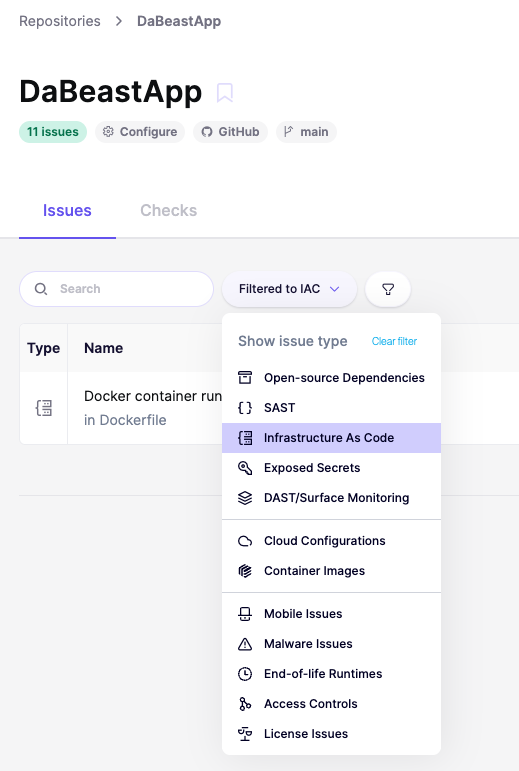
3️⃣ Review the recommendations for Docker container runs as default root user.
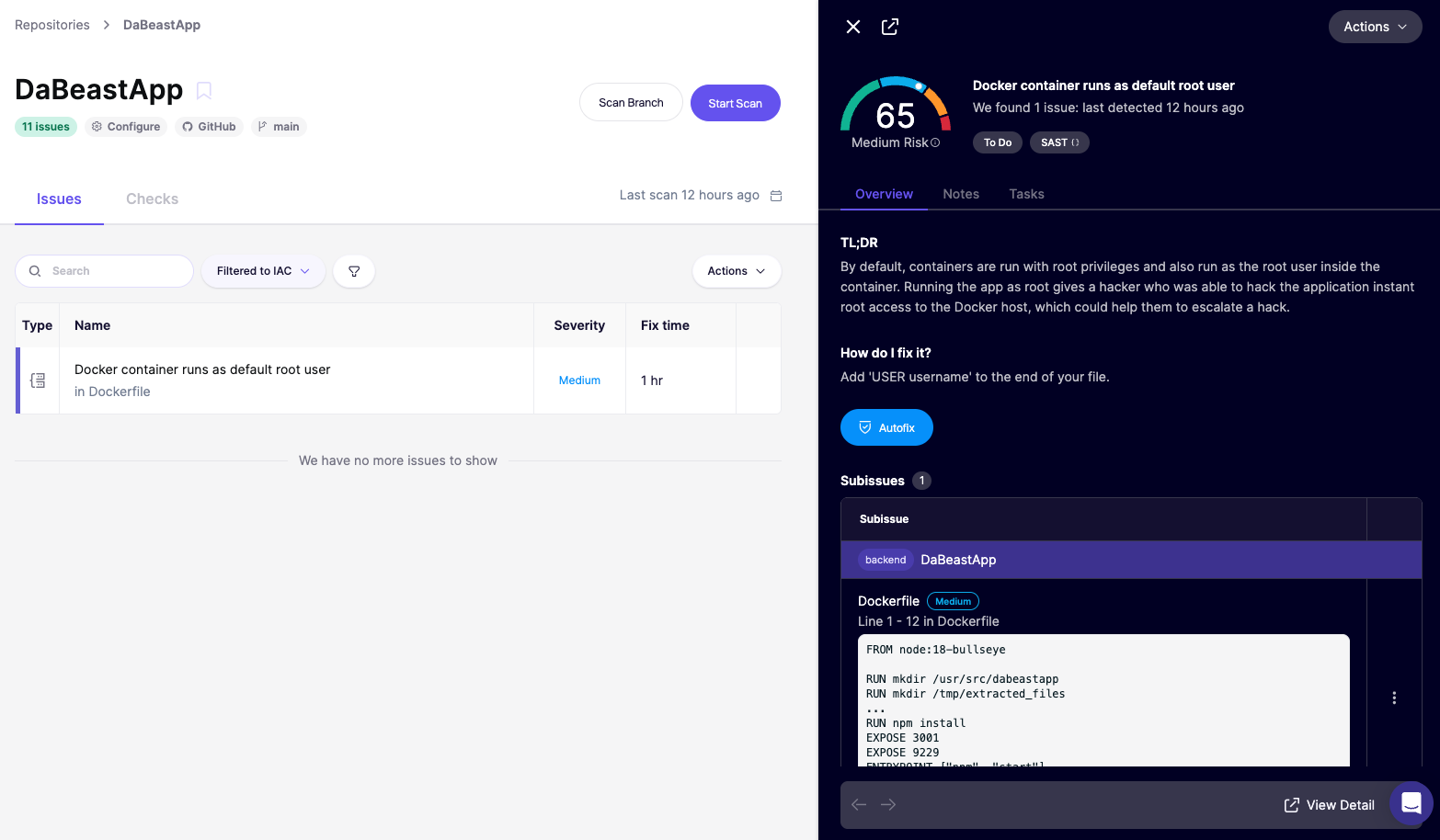
4️⃣ Check out code analysis to see where the issue is found.
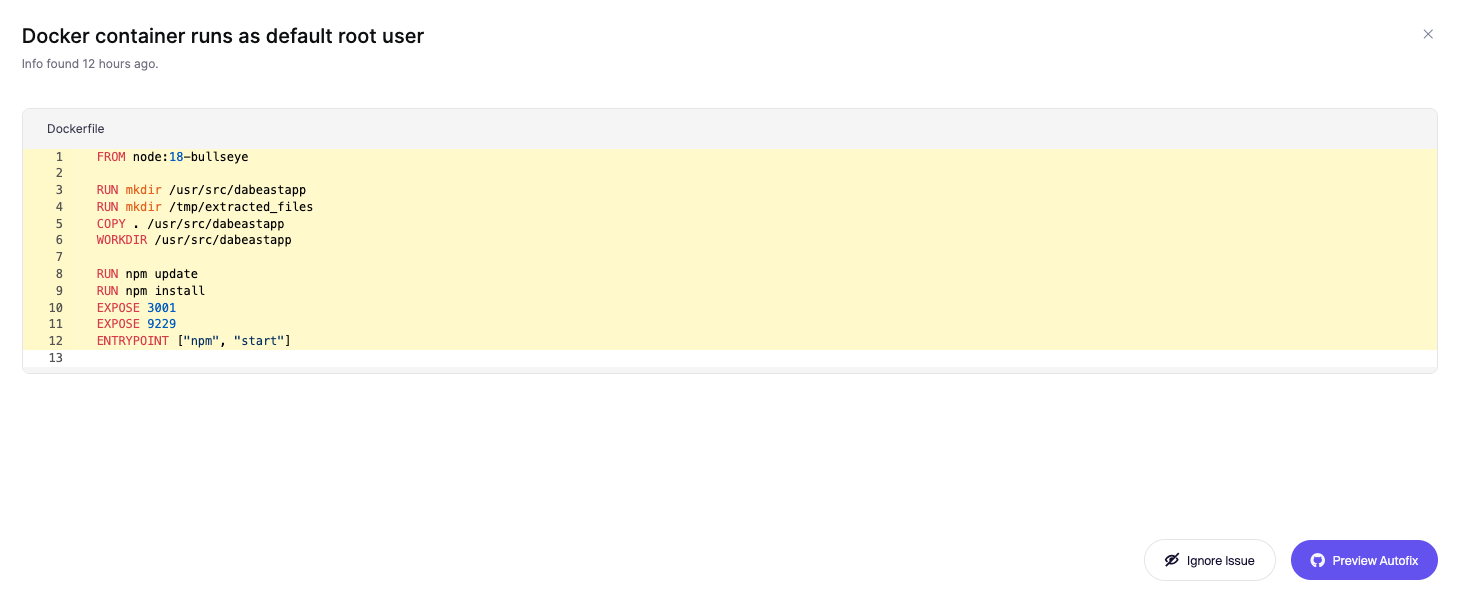
5️⃣ Click on Autofix. Done! ✅
Congratulations, Samurai! You’ve secured your Docker containers and prevented attackers from escalating their access. Now, let’s conclude this workshop and take action! 🚀
Submit Your Fix
Once you’ve patched the vulnerability, it’s time to show off your skills and earn that certifier badge! 🏅
- Go to your GitHub fork of DaBeastApp.
- Create a new Pull Request (PR) against the upstream repository (Tiger-Dojo/DaBeastApp).
- Add your GitHub username to the PR so we know who to give credit.
- Submit the PR and wait for review.
🎉 Congrats! You’ve just made your app more secure by using SAST and Aikido Security. Once your PR is approved, you’ll receive credit for the lesson and earn an official Certifier badge for successful completion of this workshop!

You did it! You successfully completed this workshop! 🏆 Let’s quickly go to the next section and recap what we’ve learned!